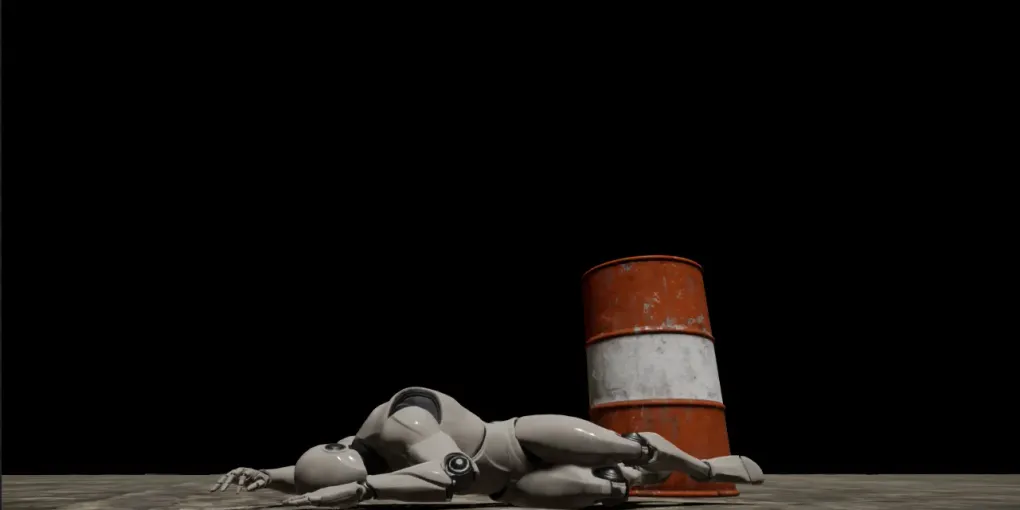
GAS入門 その4 グレイマン疲れさせよう
こちらは、連載記事の第4回となります。第1回・第2回・第3回を読んでいない方は、先にそちらからお読みください。
今回は、GASの機能の中でも、GameplayAttributeとGameplayEffectを理解する為に、パンチを打ったらグレイマンのスタミナが減っていくようにします。
GASを使わない場合は、グレイマンのブループリントクラスにStaminaという変数を持たせて、能力を発動させる度に変数から消費するスタミナ値を引いていけば完成ですが、GASでこの機能を実装する方法を見ていきましょう。
なお、すごく簡単に言えばGameplayAttributeはHPやMPやスタミナ等の数値を保持する仕組みで、GameplayEffectはその値を変更する仕組みとなります。
下準備
GameCharacter.hにIAbilitySystemInterfaceを継承させ、GetAbilitySystemComponentメソッドの実装を行います。
(ここからは、ちょっと難しい説明になりますが・・・今回扱うGameplayAttributeから値を取得する(今回の例で言えばスタミナ値の取得)時に、UnrealEngineの内部ではAttributeSetが設定されているActorを取得し、そのActorに設定されているAbilitySystemComponentを取得するという処理が記述されています。「Actorに設定されているAbilitySystemComponentを取得」という処理で、Actorに定義されているハズのGetAbilitySystemComponentメソッドをコールしてAbilitySystemComponentを取得しようとします。要は、AttributeSetを扱うActor(今回はGameCharacter)は、必ずGetAbilitySystemComponentメソッドを定義されていないといけないという事になります。)
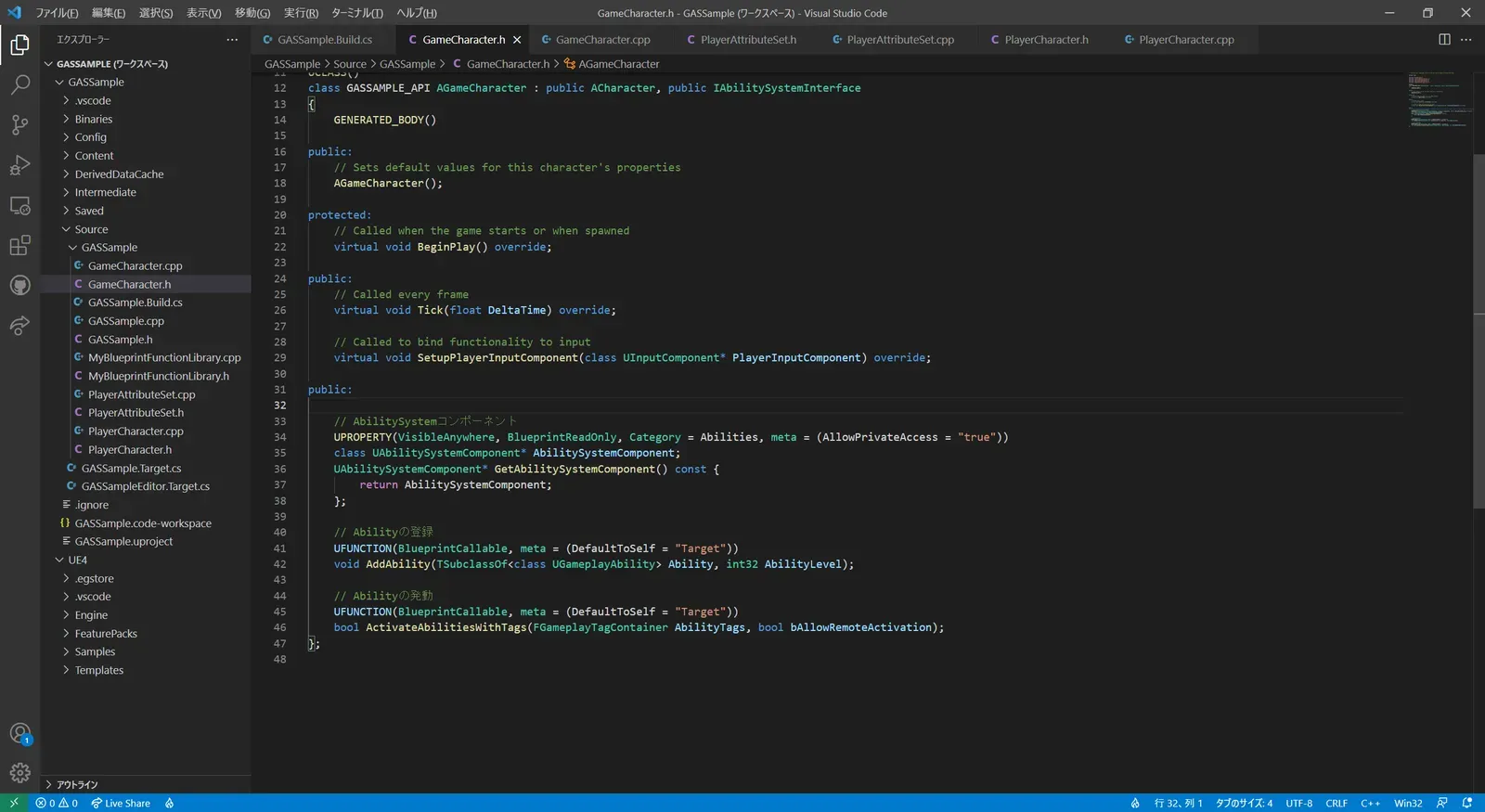
// Fill out your copyright notice in the Description page of Project Settings.
#pragma once
#include "CoreMinimal.h"#include "GameFramework/Character.h"#include "AbilitySystemComponent.h"#include "AbilitySystemInterface.h"#include "GameCharacter.generated.h"
UCLASS()class GASSAMPLE_API AGameCharacter : public ACharacter, public IAbilitySystemInterface{  GENERATED_BODY()
public:  // Sets default values for this character's properties  AGameCharacter();
protected:  // Called when the game starts or when spawned  virtual void BeginPlay() override;
public:  // Called every frame  virtual void Tick(float DeltaTime) override;
  // Called to bind functionality to input  virtual void SetupPlayerInputComponent(class UInputComponent* PlayerInputComponent) override;
public:
  // AbilitySystemコンポーネント  UPROPERTY(VisibleAnywhere, BlueprintReadOnly, Category = Abilities, meta = (AllowPrivateAccess = "true"))  class UAbilitySystemComponent* AbilitySystemComponent;  UAbilitySystemComponent* GetAbilitySystemComponent() const {    return AbilitySystemComponent;  };
  // Abilityの登録  UFUNCTION(BlueprintCallable, meta = (DefaultToSelf = "Target"))  void AddAbility(TSubclassOf<class UGameplayAbility> Ability, int32 AbilityLevel);
  // Abilityの発動  UFUNCTION(BlueprintCallable, meta = (DefaultToSelf = "Target"))  bool ActivateAbilitiesWithTags(FGameplayTagContainer AbilityTags, bool bAllowRemoteActivation);};
AttributeSetにGameplayAttributeを格納していく
グレイマンにスタミナ値を持たせたいので、AttributeSetの中にGameplayAttributeとして定義したスタミナ値を定義していきます。まずは、AttributeSetを作成します。
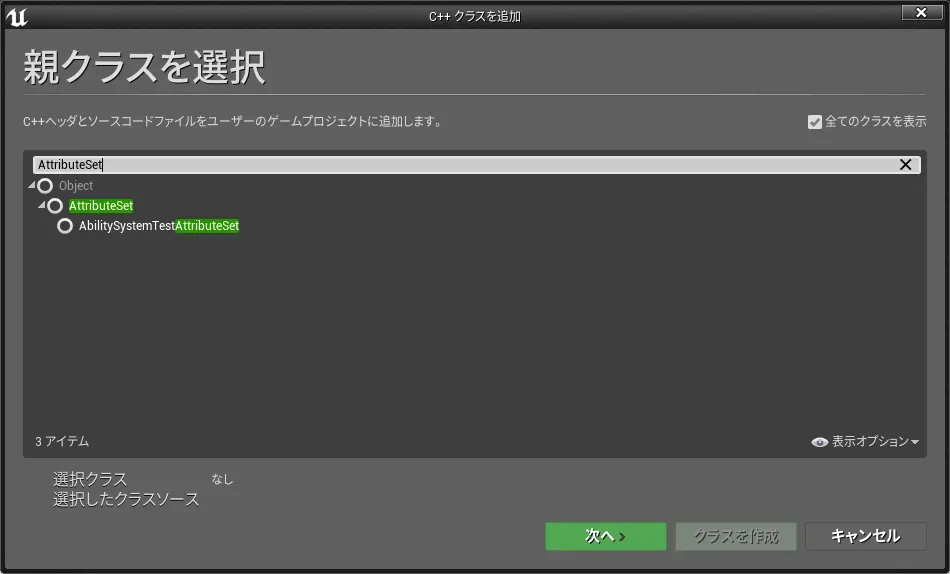
新規でC++クラスを作成し、ウインドウ右上にある「全てのクラスを表示」にチェックを入れた状態で“AttributeSet”を検索すると、AttributeSetを継承したクラスを作成することができます。
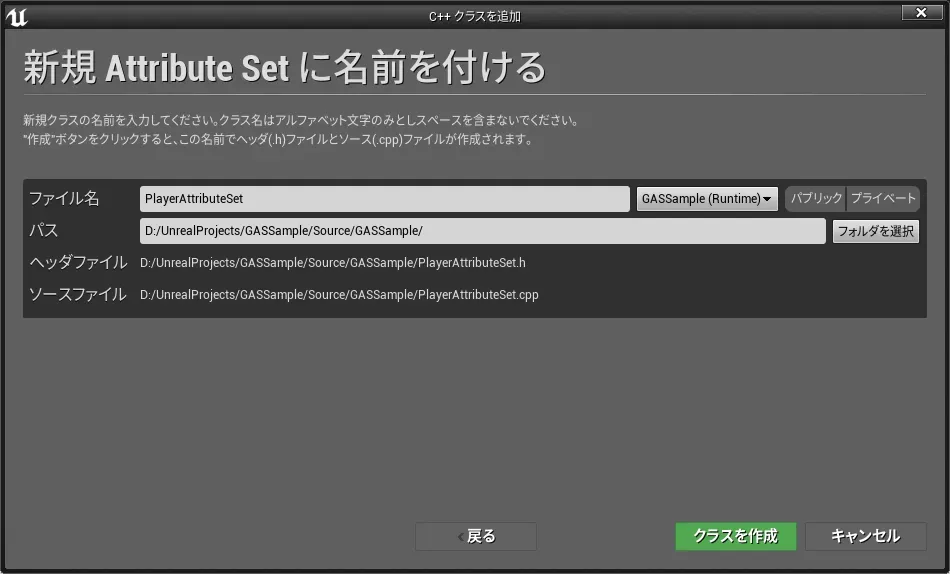
プレイヤーであるグレイマンのAttributeSetとなるので、クラス名は“PlayerAttributeSet”としました。
PlayerAttributeSet.hは以下のようにします。
ワケの分からんマクロ(define定義)がありますが、これUnrealEngineのソースコード“Engine\Plugins\Runtime\GameplayAbilities\Source\GameplayAbilities\Public\AttributeSet.h”のコメント欄に書いてあるものをそのまま引用しています。
それ以外はコンストラクタの定義と、FGameplayAttributeData型のスタミナ値の定義があるくらいですね。FGameplayAttributeDataがGameplayAttributeのことで、Float型の数値を持つことができるクラスとなっています。
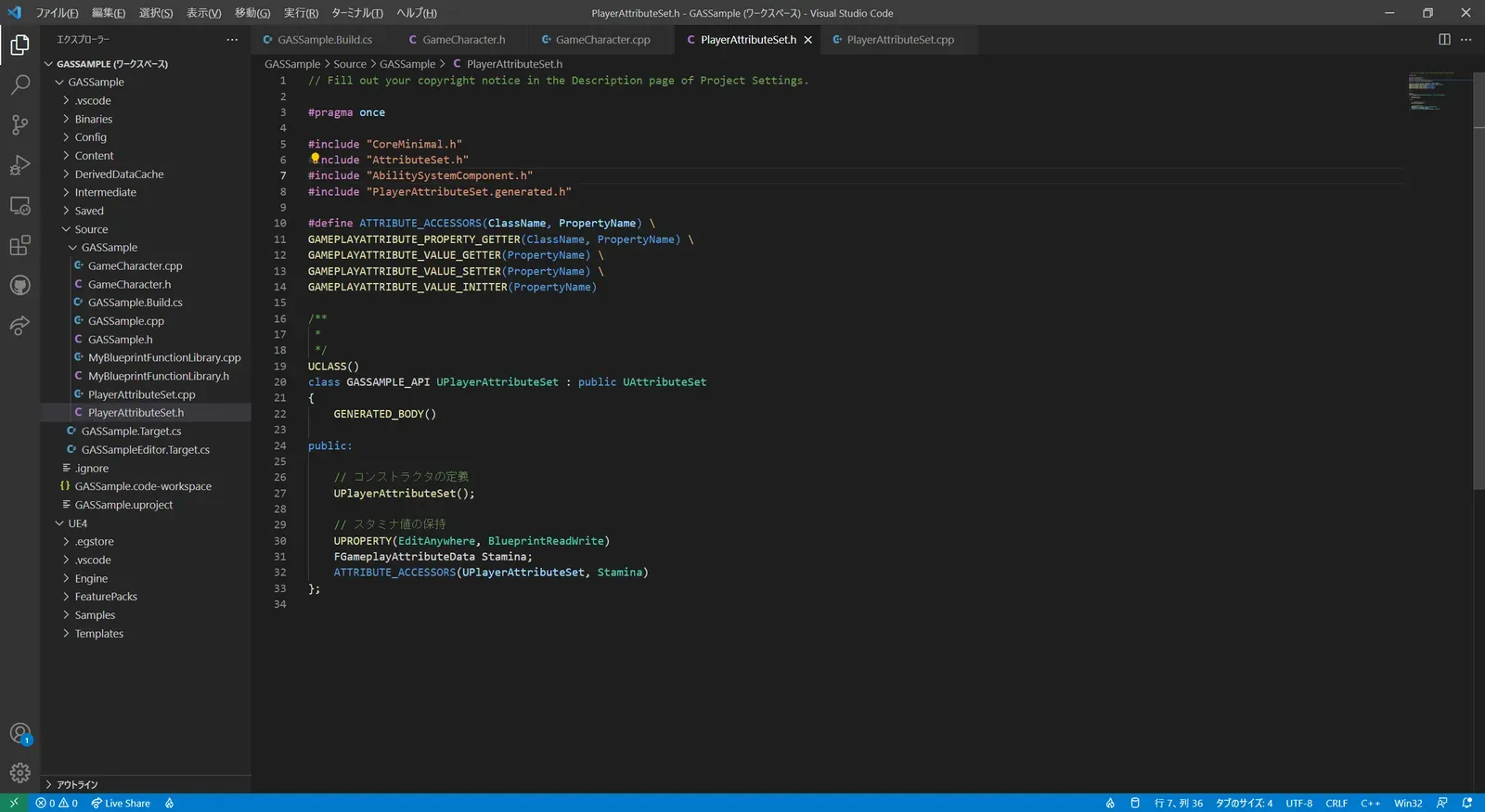
// Fill out your copyright notice in the Description page of Project Settings.
#pragma once
#include "CoreMinimal.h"#include "AttributeSet.h"#include "AbilitySystemComponent.h"#include "PlayerAttributeSet.generated.h"
#define ATTRIBUTE_ACCESSORS(ClassName, PropertyName) \GAMEPLAYATTRIBUTE_PROPERTY_GETTER(ClassName, PropertyName) \GAMEPLAYATTRIBUTE_VALUE_GETTER(PropertyName) \GAMEPLAYATTRIBUTE_VALUE_SETTER(PropertyName) \GAMEPLAYATTRIBUTE_VALUE_INITTER(PropertyName)
/** * */UCLASS()class GASSAMPLE_API UPlayerAttributeSet : public UAttributeSet{  GENERATED_BODY()
public:
  // コンストラクタの定義  UPlayerAttributeSet();
  // スタミナ値の保持  UPROPERTY(EditAnywhere, BlueprintReadWrite)  FGameplayAttributeData Stamina;  ATTRIBUTE_ACCESSORS(UPlayerAttributeSet, Stamina)};
PlayerAttributeSet.cppは次のようにします。
ここは単純にコンストラクタ内でスタミナ値の初期値に100を入れているだけとなります。
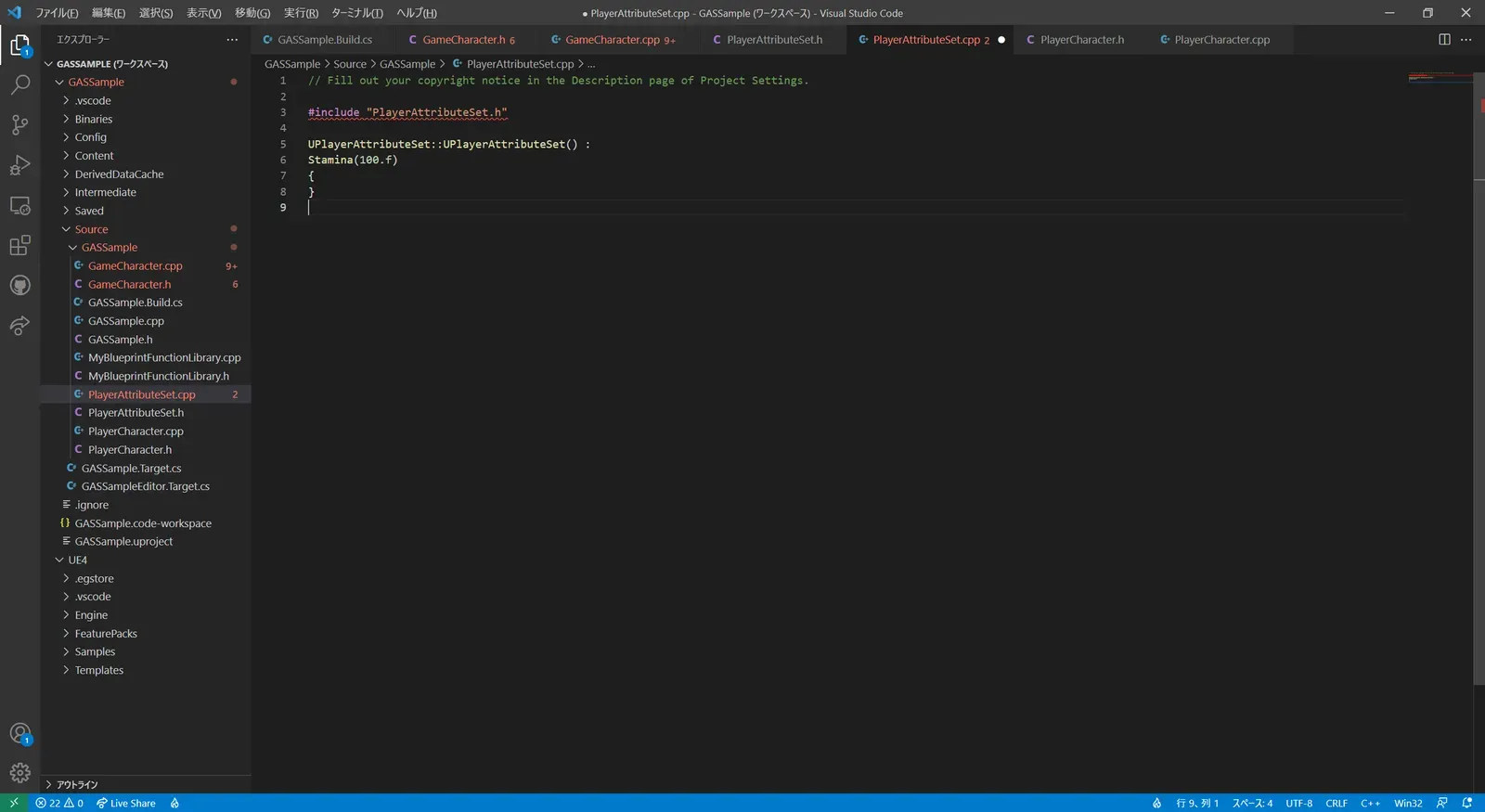
// Fill out your copyright notice in the Description page of Project Settings.
#include "PlayerAttributeSet.h"
UPlayerAttributeSet::UPlayerAttributeSet() :Stamina(100.f){}
グレイマンにスタミナ値を持たせる
上記で作成したAttributeSetをグレイマンに持たせてみましょう。
GameCharacterクラスを親としたPlayerCharacterクラスを作成します。(このままGameCharacterクラスにスタミナ値を持たせてもよかったのですが、クラスの継承のお勉強と、AttributeSetを持たせる処理を分かりやすくする為に、GameCharacter→PlayerCharacter→ThirdPersonCharacterブループリントというクラスの親子関係としました。
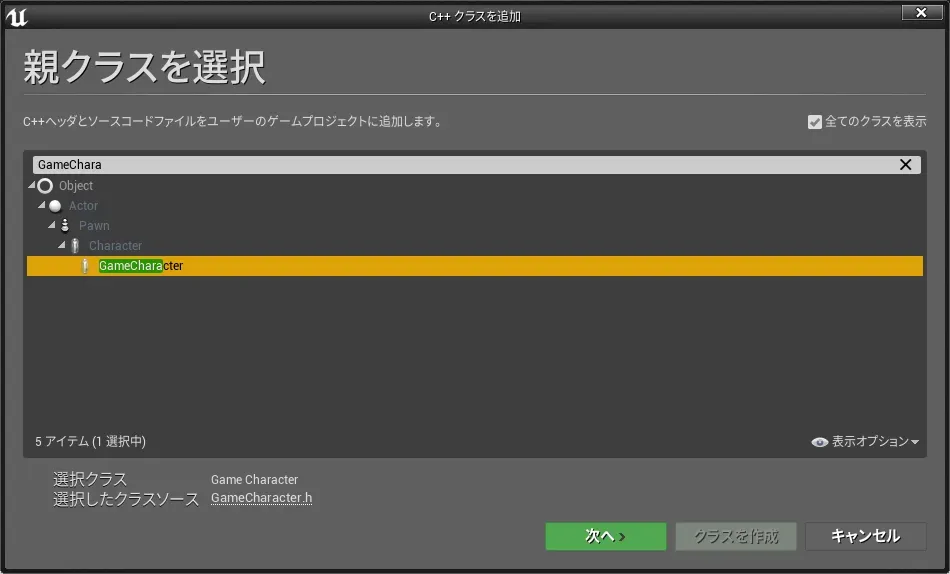
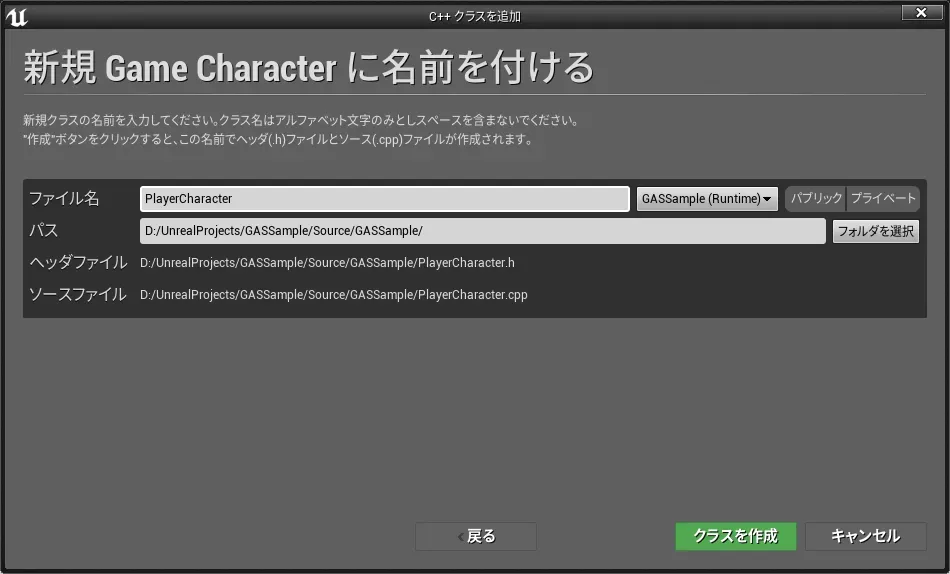
PlayerCharacterにPlayerAttributeSetを持たせます。
まずは、PlayerCharacter.hにPlayerAttributeSetを追加します。
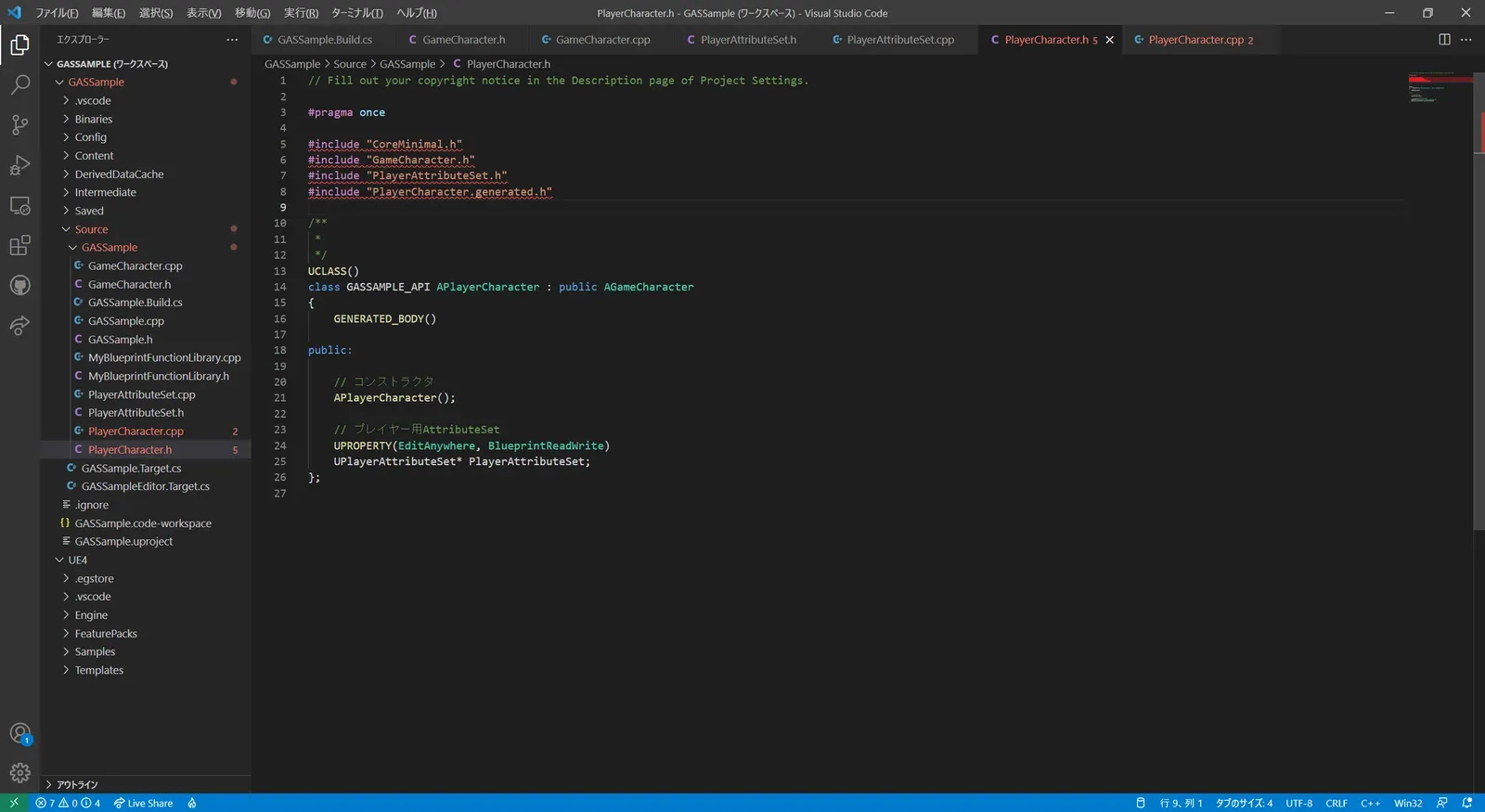
// Fill out your copyright notice in the Description page of Project Settings.
#pragma once
#include "CoreMinimal.h"#include "GameCharacter.h"#include "PlayerAttributeSet.h"#include "PlayerCharacter.generated.h"
/** * */UCLASS()class GASSAMPLE_API APlayerCharacter : public AGameCharacter{  GENERATED_BODY()
public:
  // コンストラクタ  APlayerCharacter();
  // プレイヤー用AttributeSet  UPROPERTY(EditAnywhere, BlueprintReadWrite)  UPlayerAttributeSet* PlayerAttributeSet;};
次に、PlayerCharacter.cppのコンストラクタでAttributeSetのインスタンスを生成します。
これで、PlayerCharacterクラスはPlayerAttributeSetを所有することができました。
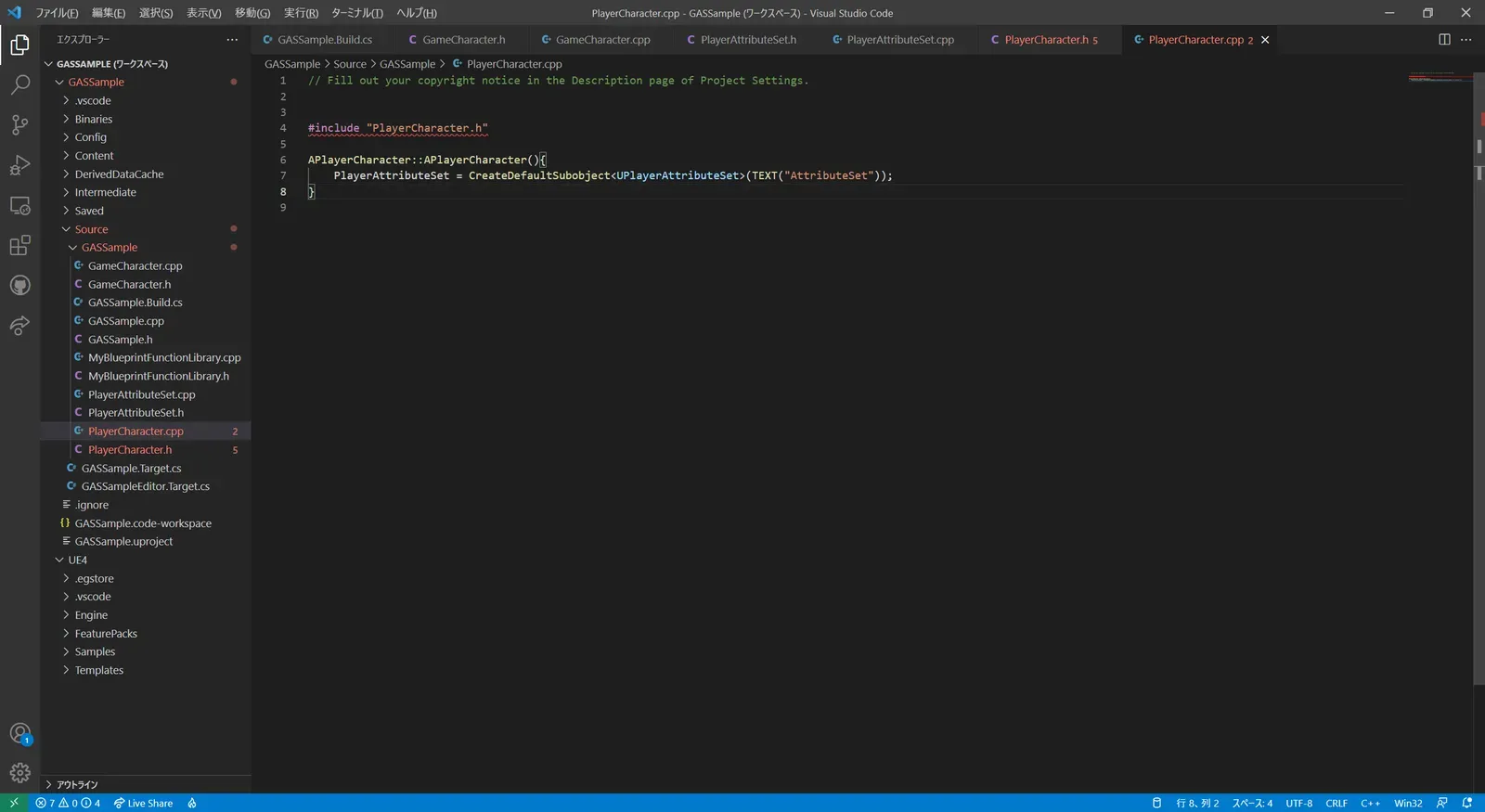
// Fill out your copyright notice in the Description page of Project Settings.
#include "PlayerCharacter.h"
APlayerCharacter::APlayerCharacter(){    PlayerAttributeSet = CreateDefaultSubobject<UPlayerAttributeSet>(TEXT("AttributeSet"));}
ThirdPersonCharacterのブループリントを開き、親クラスをGameCharacterからPlayerCharacterに変更してください。
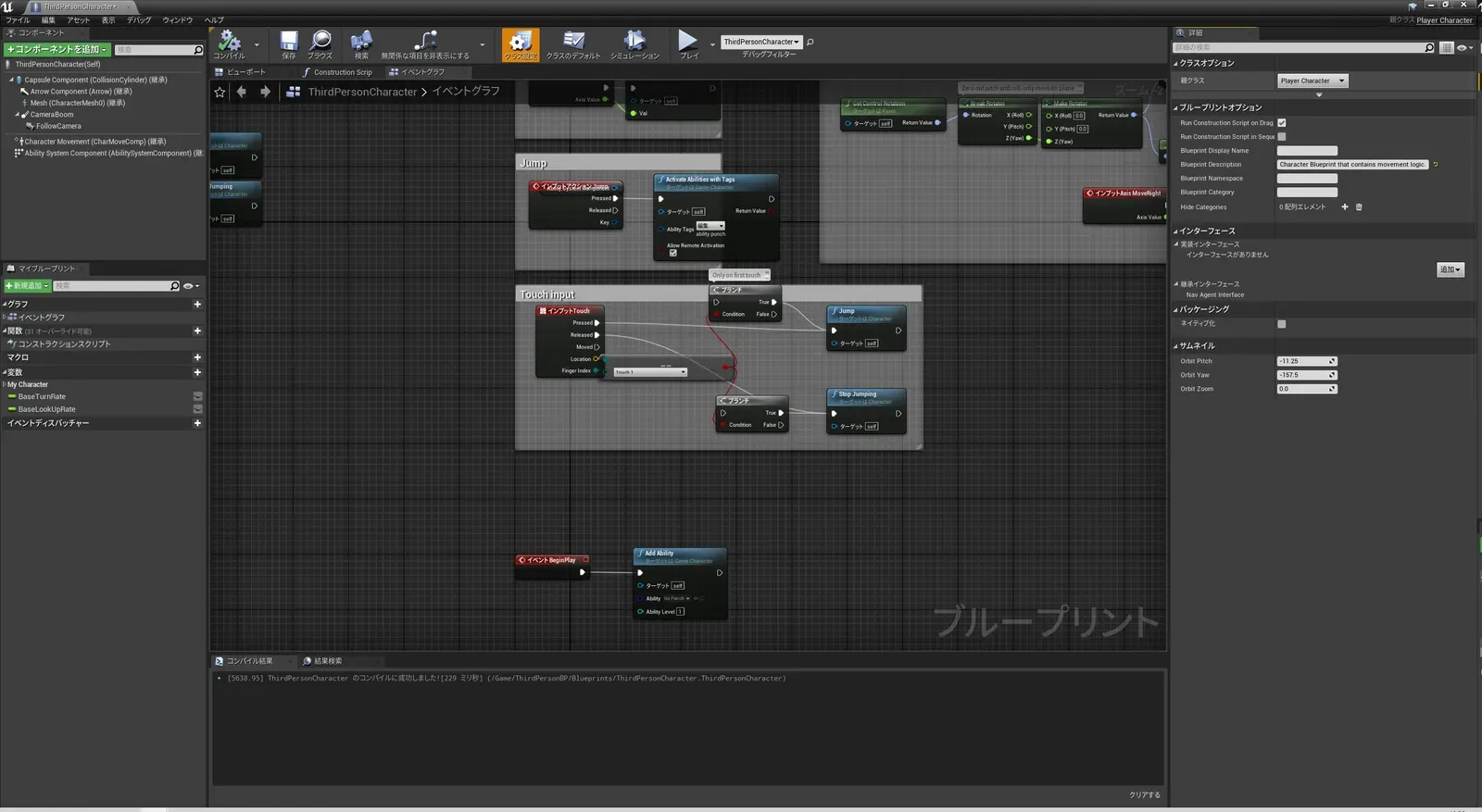
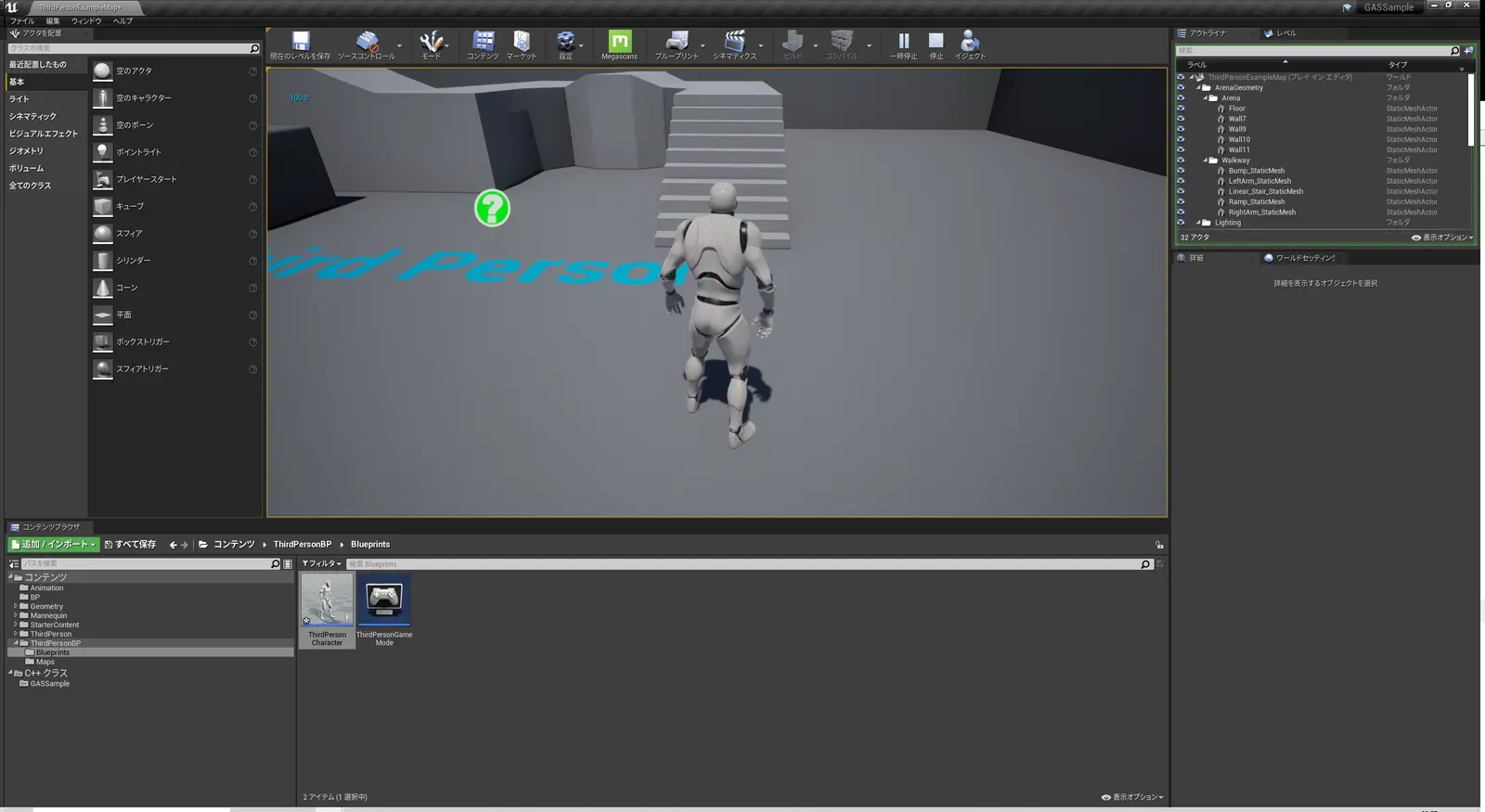
また、画面上に常にスタミナ値を表示する為に、Tick処理でスタミナ値を表示するようにしてみます。(本当はTickで処理するのは処理負荷的におススメしませんが、今回はサンプルで簡単に実装したいのでお許しください)
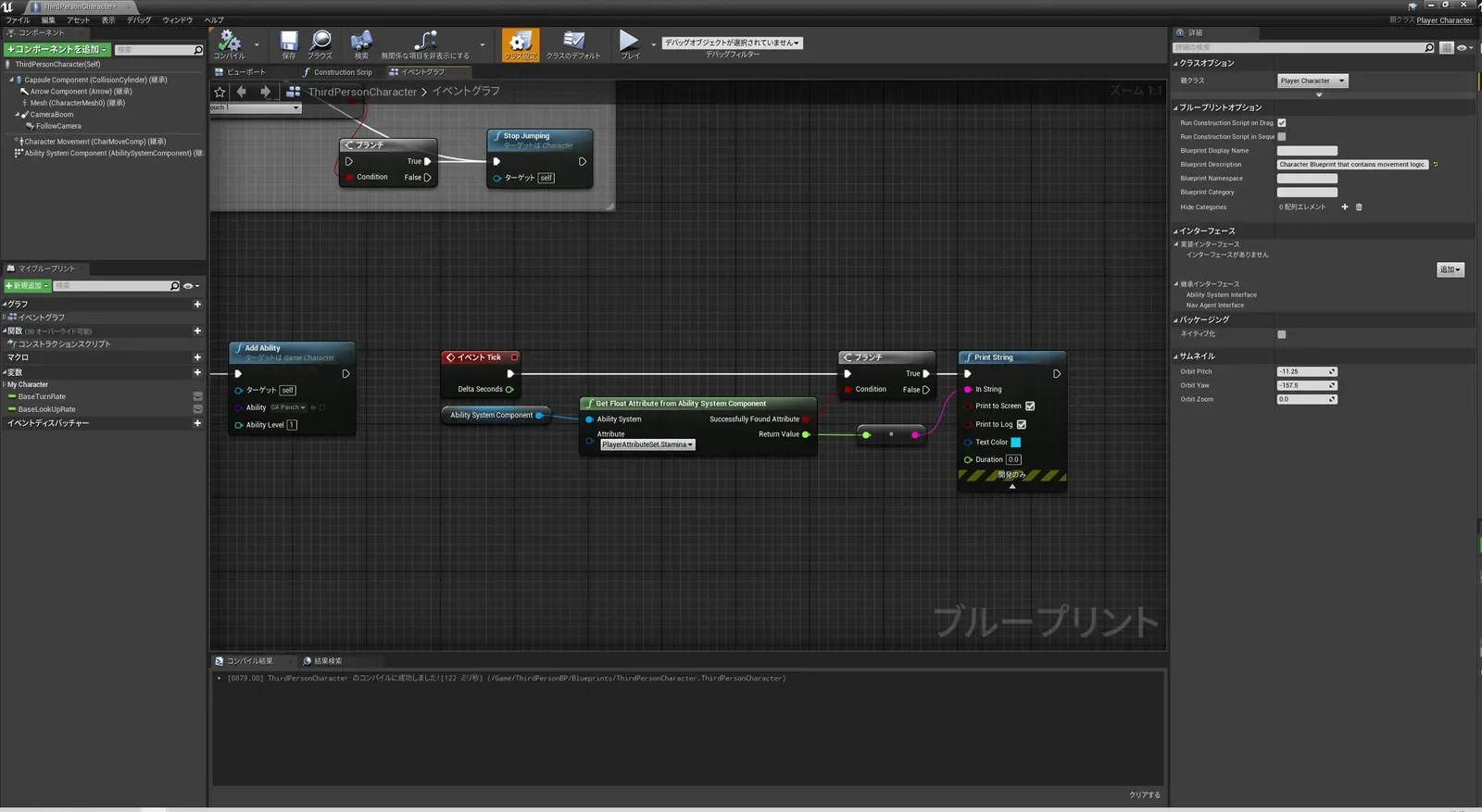
プレイボタンを押すと、画面左上に100.0と表示されます。これでグレイマンにスタミナ値を持たせることができました。Tickで常に更新された値が表示されているので、スタミナ値が変われば画面上で確認することができます。
GameplayEffectの作成
これでグレイマンにスタミナ値を持たせることができましたが、パンチを繰り出す度にスタミナを減算させる必要があります。GameplayAttributeの数値を変化させるにはGameplayEffectを使用するので、これを作成していきましょう。
GameplayEffectはBPとして作成可能ですので、UE4のコンテンツブラウザの適当なフォルダから新規ブループリントクラスを作成してください。GameplayEffectで検索すると今回作成するGameplayEffectクラスが表示されるので、それを親クラスにしてください。
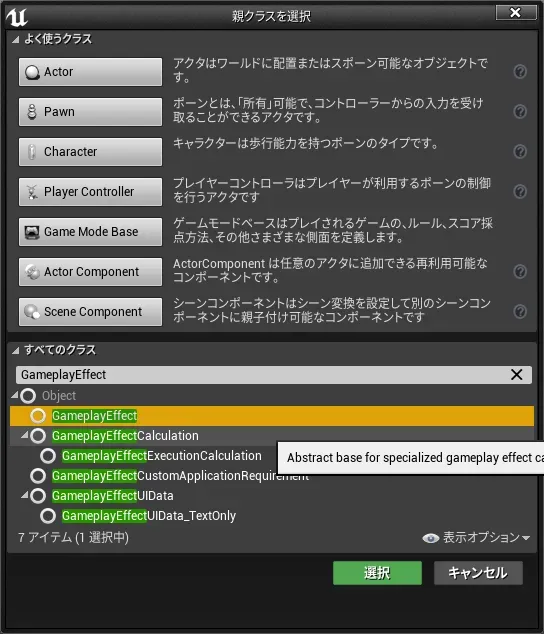
名前はGE_Panchとしました。
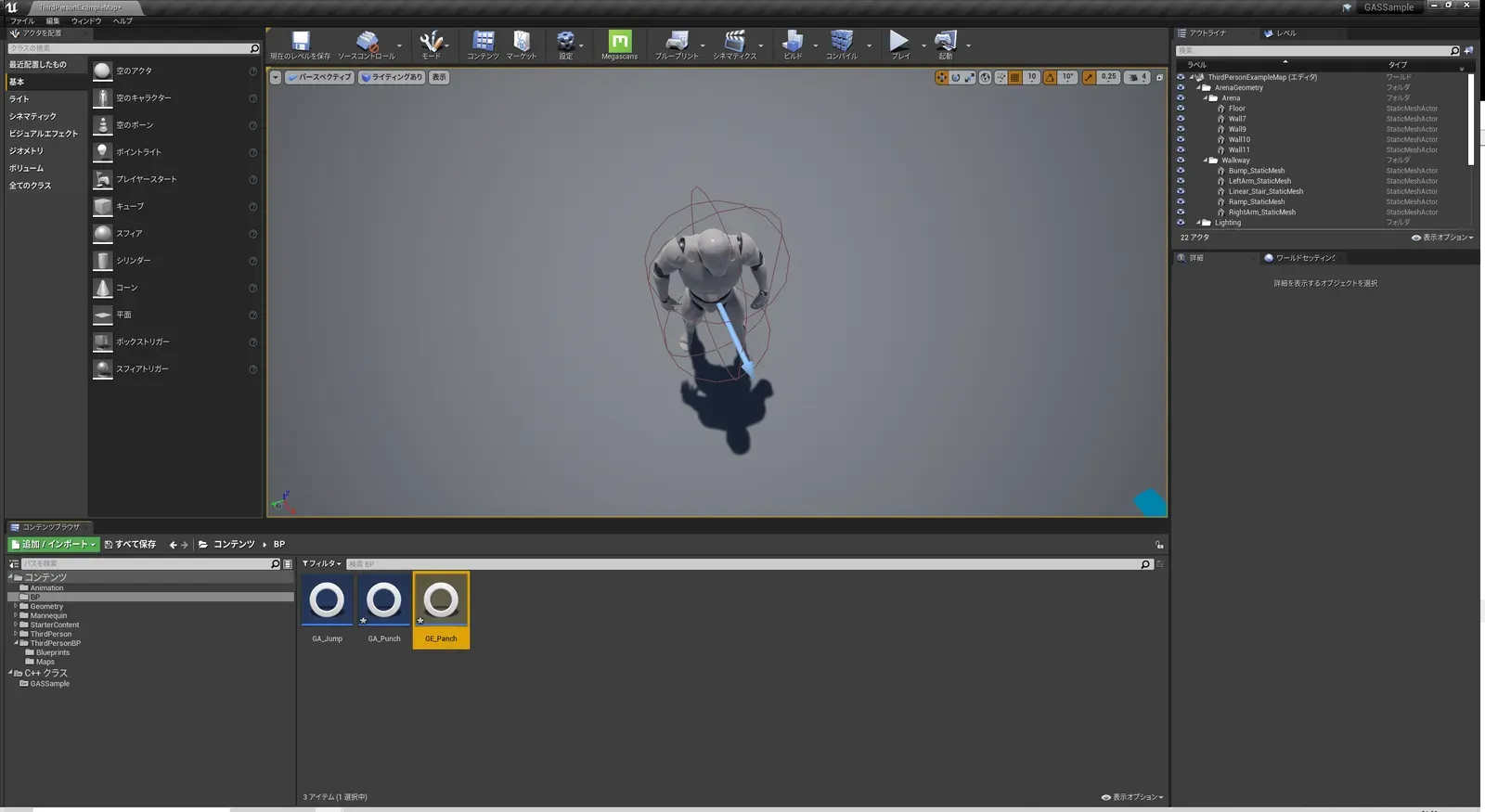
作成したGE_Pahchを開いてみます。
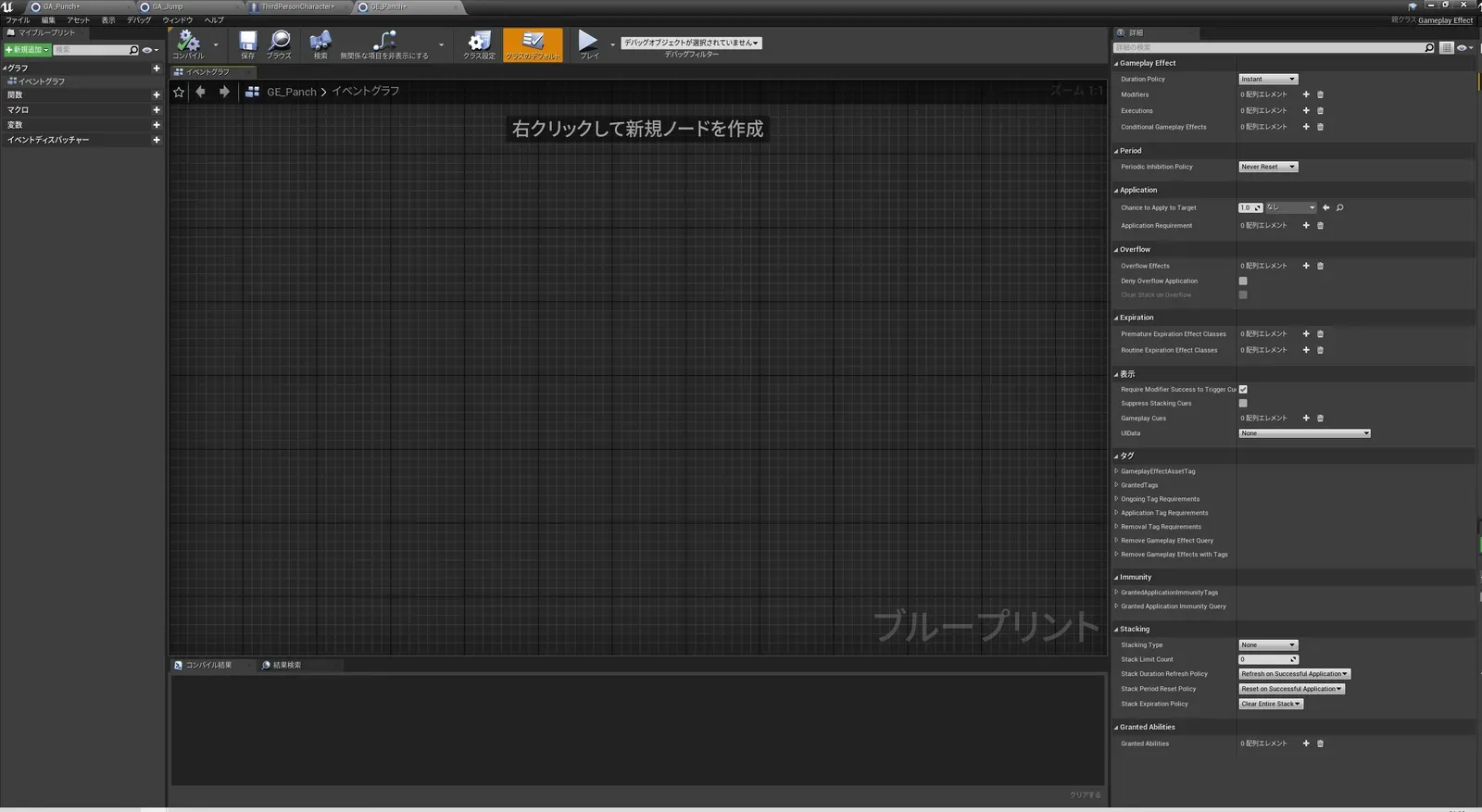
右上の詳細パネル内のGameplayEffectを以下のように設定します。
何となく予想は付きますが、PlayerAttributeSetのStaminaを-10加算(つまり10減算)するという記述になります。
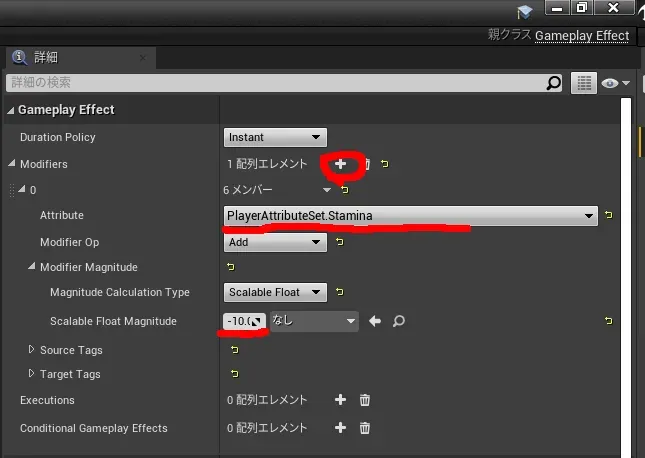
これでGE_Panchの編集は終了です。
パンチを打ったらGameplayEffectでGameplayAttributeのスタミナ値を減らす
GE_Panchを開いてください。
詳細パネルのCostsにあるCostGaameplayEffectClassに先ほど作成したGE_Panchを格納します。
次に、イベントグラフ内のActivateAbilityの直後にCommitAbilityノードを追加してください。
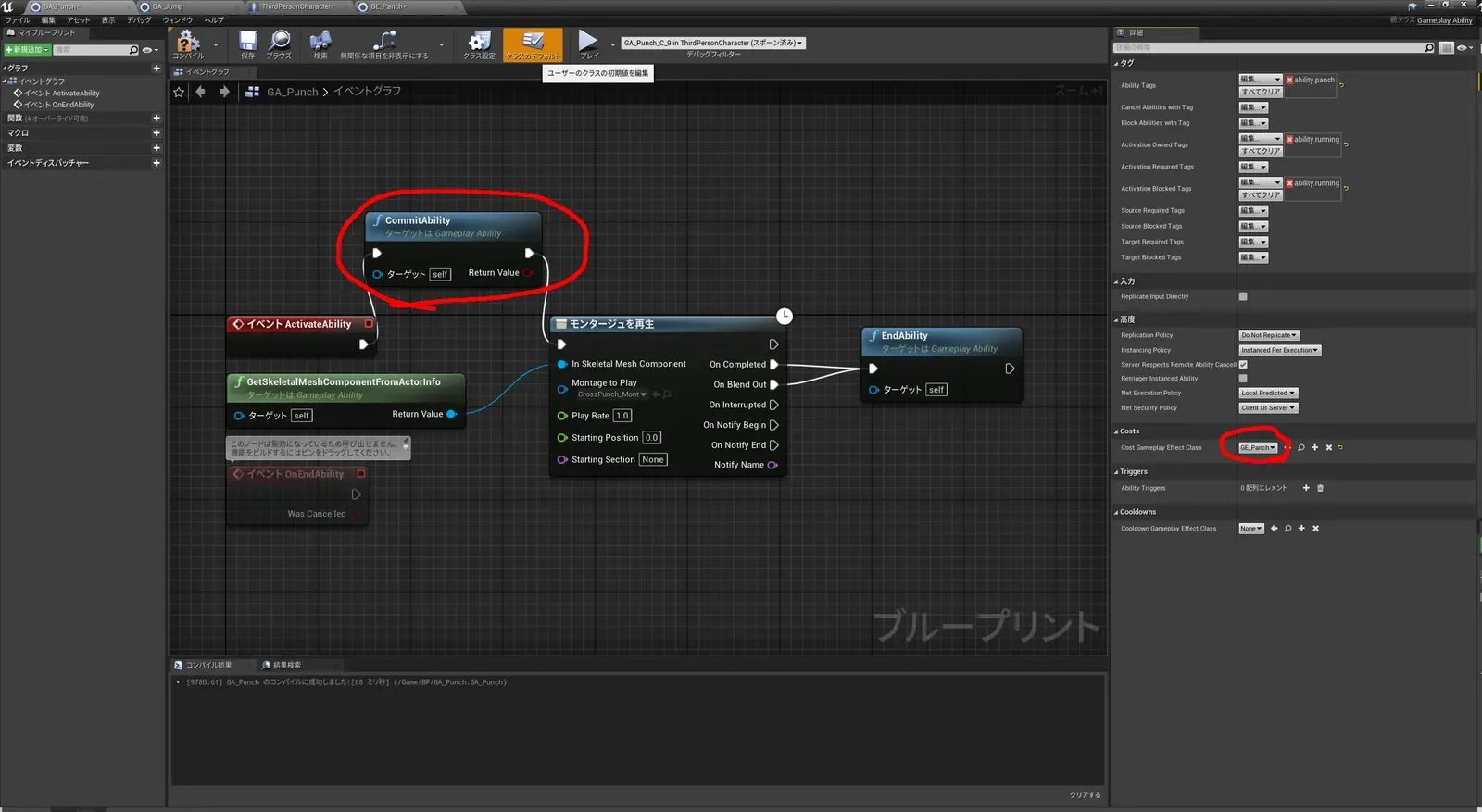
これで、プレイボタンを押して、パンチを繰り出してください。
一発打つ毎にスタミナが10ずつ減っていき、最終的に0になるとグレイマンはパンチが打てなくなります。
グレイマン・・・スタミナ切れでパンチ打てず・・・
ということで、GameplayAttributeとGameplayEffectを使ったスタミナ消費処理についての解説でした。
このままだとグレイマンは疲れっぱなしなので、次回はスタミナの自動回復処理を作っていきます。