GAS入門 その5 グレイマンを回復させよう
こちらは、連載記事の第5回となります。第1回・第2回・第3回・第4回を読んでいない方は、先にそちらからお読みください。
前回、パンチの打ちすぎで疲れ切ってしまったグレイマン・・・そのままだと可哀そうなので、グレイマンに自動回復の仕組みを導入してあげましょう。
前回、GA_Panch(パンチ能力)にGE_Panch(パンチのスタミナ消費)を紐づけて、スタミナ値を操作するという処理を書きましたが、今回はスタミナを自動回復する仕組みなので、GameplayAbilityに紐づかず、GameplayEffectをグレイマンに常駐させるイメージの作り方となります。
自動回復GameplayEffectの作成
GameplayEffectを継承したブループリントクラスを作成します。
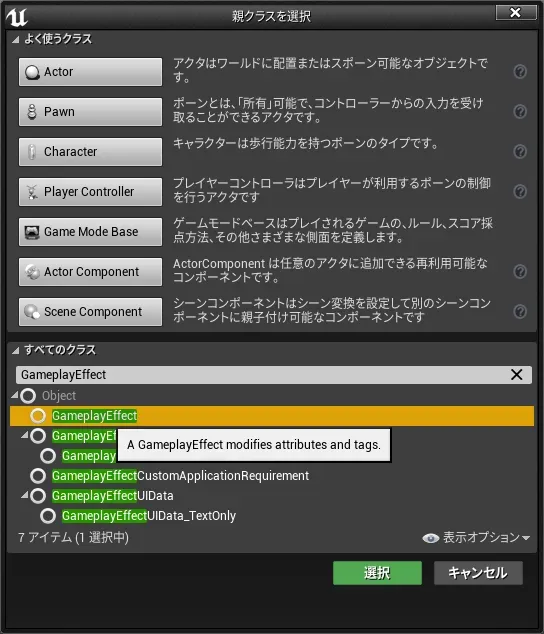
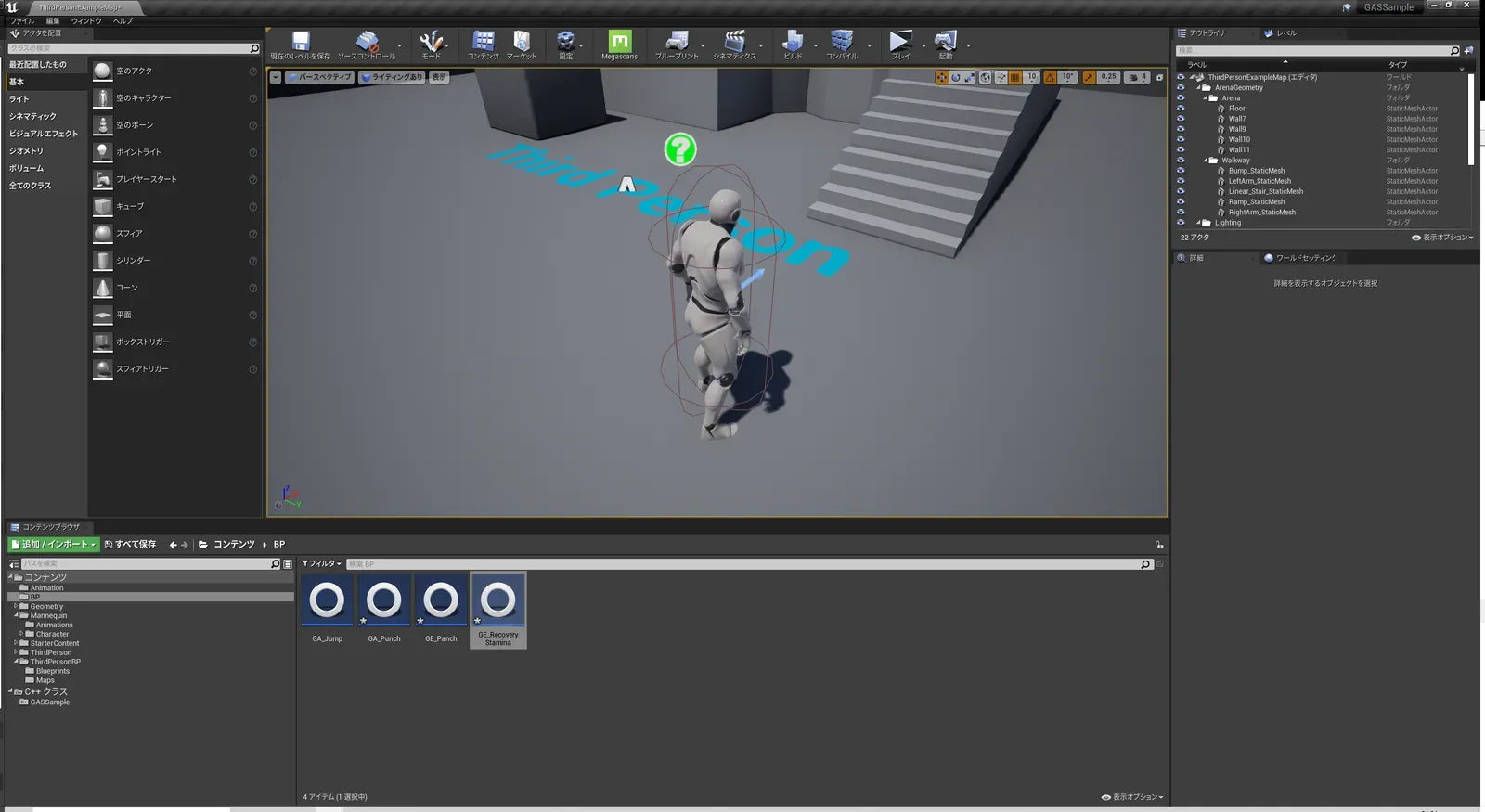
名前はGE_RecoveryStaminaとしました。
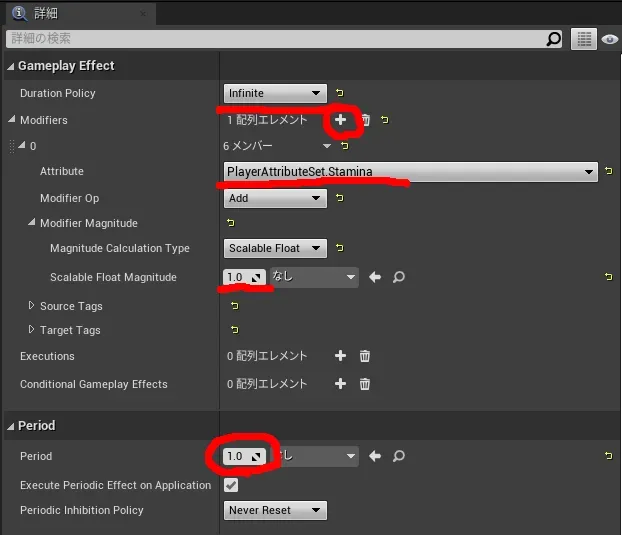
GE_RecoveryStaminaを開いて、詳細パネルを以下のように設定します。
DurationPolicyを“Infinite”にすることで、永続的に効果があるGameplayEffectとして定義できます。
Periodで効果が表れる間隔を指定しているので、この定義は1秒にスタミナ値を1回復するという処理になります。
では、最後にGE_RecoveryStaminaをグレイマンに付与します。
今回のGE_RecoveryStaminaは以前作成したGE_Punchと違って、GameplayAbilityに紐づいて処理されるものではなく、常にグレイマンに影響を及ぼすものですよね。(グレイマンに常駐していると言った方が分かりやすいかもしれません。)
GE_PuhchはGA_PunchのCostとして登録しましたが、グレイマンに常駐するGameplayEffectはどうしたら良いのでしょうか?
この場合は、AbilitySystemComponentにGameplayEffectを登録することで解決します。GameCharacterを編集して、GameplayEffectをAbilitySystemComponentに登録できるようにします。
GameCharacter.hにはAddEffectというメソッドの定義を追加しました。
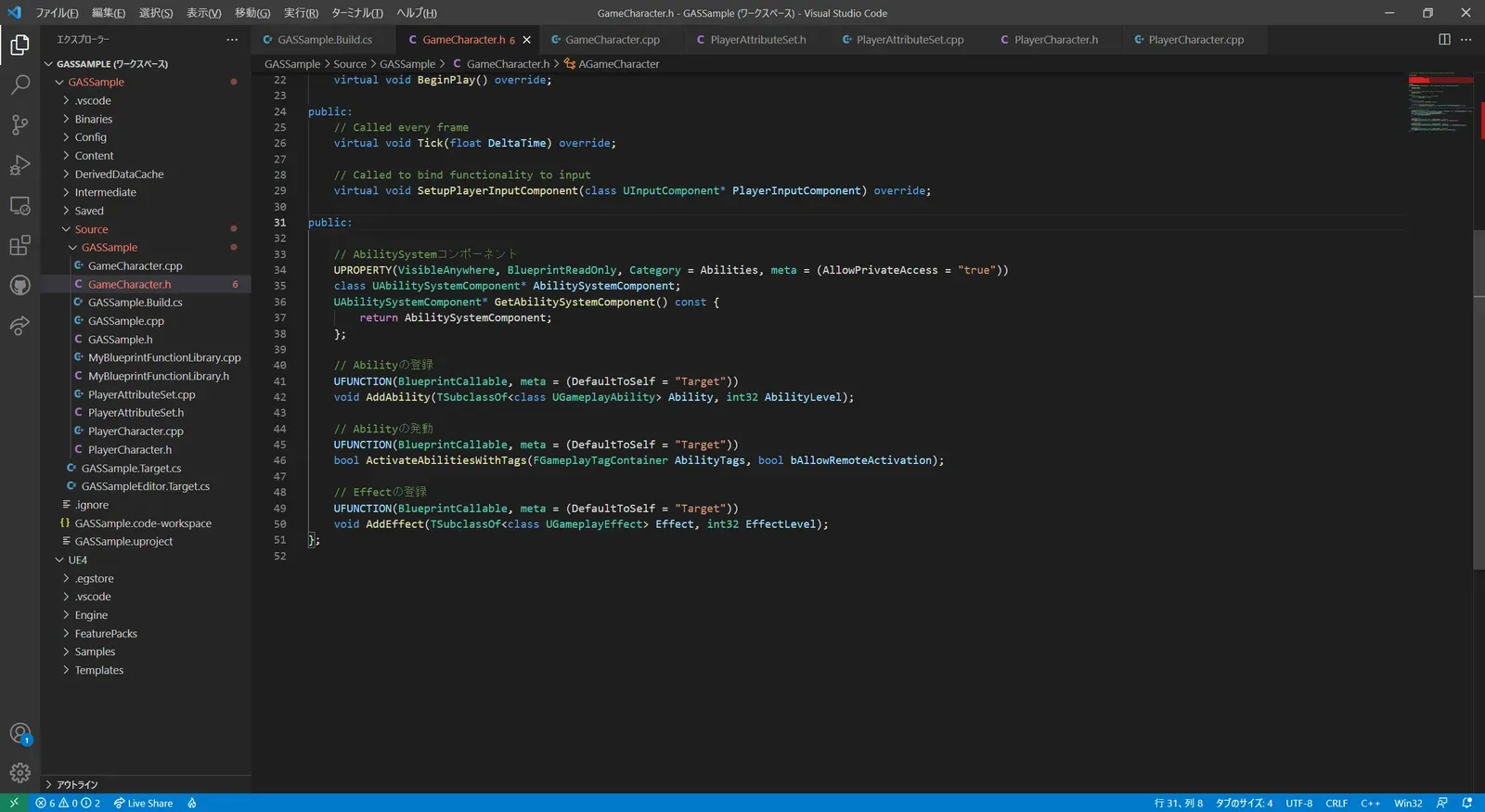
// Fill out your copyright notice in the Description page of Project Settings.
#pragma once
#include "CoreMinimal.h"#include "GameFramework/Character.h"#include "AbilitySystemComponent.h"#include "AbilitySystemInterface.h"#include "GameCharacter.generated.h"
UCLASS()class GASSAMPLE_API AGameCharacter : public ACharacter, public IAbilitySystemInterface{  GENERATED_BODY()
public:  // Sets default values for this character's properties  AGameCharacter();
protected:  // Called when the game starts or when spawned  virtual void BeginPlay() override;
public:  // Called every frame  virtual void Tick(float DeltaTime) override;
  // Called to bind functionality to input  virtual void SetupPlayerInputComponent(class UInputComponent* PlayerInputComponent) override;
public:
  // AbilitySystemコンポーネント  UPROPERTY(VisibleAnywhere, BlueprintReadOnly, Category = Abilities, meta = (AllowPrivateAccess = "true"))  class UAbilitySystemComponent* AbilitySystemComponent;  UAbilitySystemComponent* GetAbilitySystemComponent() const {    return AbilitySystemComponent;  };
  // Abilityの登録  UFUNCTION(BlueprintCallable, meta = (DefaultToSelf = "Target"))  void AddAbility(TSubclassOf<class UGameplayAbility> Ability, int32 AbilityLevel);
  // Abilityの発動  UFUNCTION(BlueprintCallable, meta = (DefaultToSelf = "Target"))  bool ActivateAbilitiesWithTags(FGameplayTagContainer AbilityTags, bool bAllowRemoteActivation);
  // Effectの登録  UFUNCTION(BlueprintCallable, meta = (DefaultToSelf = "Target"))  void AddEffect(TSubclassOf<class UGameplayEffect> Effect, int32 EffectLevel);};
GameCharacter.cppにはAddEffectの実装を行います。GameplayAbilityを登録するより、ちょっと煩雑な処理ですが、
これでAbilitySystemComponentにGameplayEffectを登録することができます。(なお、AbilitySystemComponentへGameplayEffectを登録する処理はBPでも実装可能ですが、今回はC++で実装してみました)
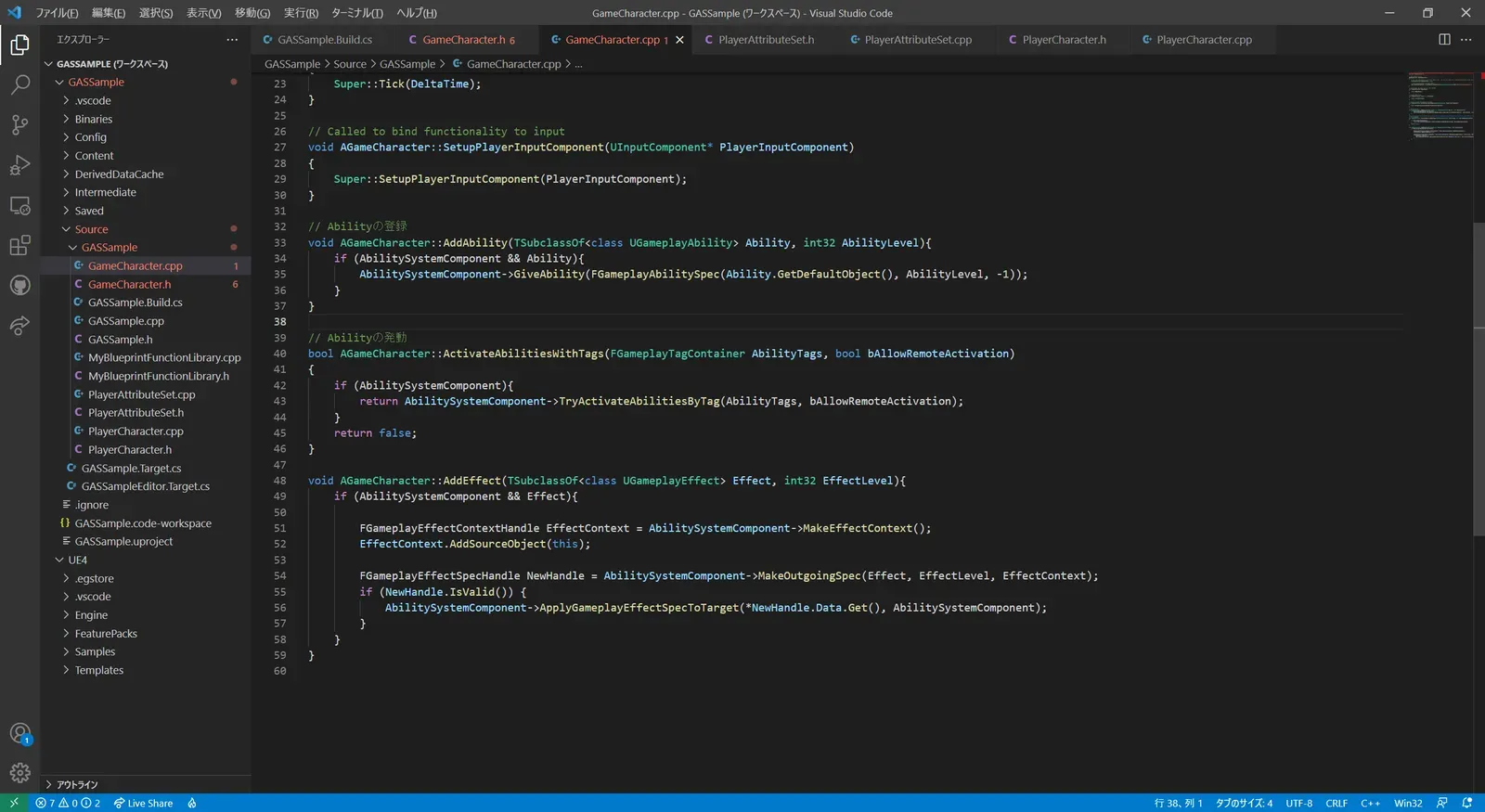
// Fill out your copyright notice in the Description page of Project Settings.#include "GameCharacter.h"
// Sets default valuesAGameCharacter::AGameCharacter(){   // Set this character to call Tick() every frame.  You can turn this off to improve performance if you don't need it.  PrimaryActorTick.bCanEverTick = true;
  // AbilitySystemコンポーネントを作成する  AbilitySystemComponent = CreateDefaultSubobject<UAbilitySystemComponent>(TEXT("AbilitySystemComponent"));}
// Called when the game starts or when spawnedvoid AGameCharacter::BeginPlay(){  Super::BeginPlay();}
// Called every framevoid AGameCharacter::Tick(float DeltaTime){  Super::Tick(DeltaTime);}
// Called to bind functionality to inputvoid AGameCharacter::SetupPlayerInputComponent(UInputComponent* PlayerInputComponent){  Super::SetupPlayerInputComponent(PlayerInputComponent);}
// Abilityの登録void AGameCharacter::AddAbility(TSubclassOf<class UGameplayAbility> Ability, int32 AbilityLevel){    if (AbilitySystemComponent && Ability){        AbilitySystemComponent->GiveAbility(FGameplayAbilitySpec(Ability.GetDefaultObject(), AbilityLevel, -1));    }}
// Abilityの発動bool AGameCharacter::ActivateAbilitiesWithTags(FGameplayTagContainer AbilityTags, bool bAllowRemoteActivation){  if (AbilitySystemComponent){    return AbilitySystemComponent->TryActivateAbilitiesByTag(AbilityTags, bAllowRemoteActivation);  }  return false;}
// Effectの登録void AGameCharacter::AddEffect(TSubclassOf<class UGameplayEffect> Effect, int32 EffectLevel){  if (AbilitySystemComponent && Effect){
    FGameplayEffectContextHandle EffectContext = AbilitySystemComponent->MakeEffectContext();    EffectContext.AddSourceObject(this);
    FGameplayEffectSpecHandle NewHandle = AbilitySystemComponent->MakeOutgoingSpec(Effect, EffectLevel, EffectContext);    if (NewHandle.IsValid()) {      AbilitySystemComponent->ApplyGameplayEffectSpecToTarget(*NewHandle.Data.Get(), AbilitySystemComponent);    }  }}
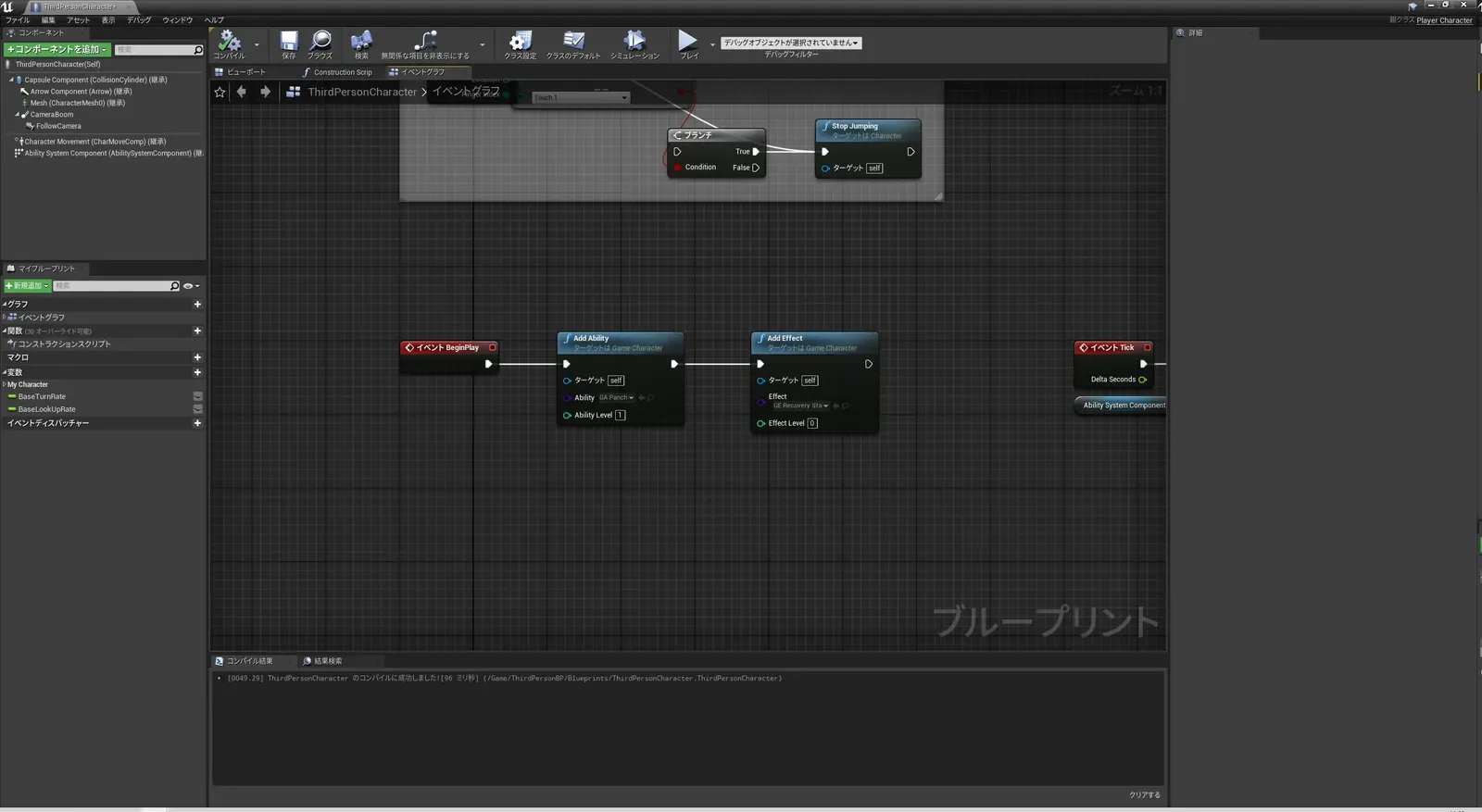
ThirdPersonCharacterを開き、BeginPlayでパンチ能力を付与した後に、自動回復GameplayEffectを登録します。これで、グレイマンには無限に湧き出るスタミナが実装されるはずです。
プレイボタンを押してみると・・・
あ、あれ、、、、自動回復してるけど、100超えて回復しちゃってるじゃん・・・
グレイマンのスタミナ値の最大値を決める
PlayerAttributeSet.hを開き、“PostGameplayEffectExecute”メソッドのオーバーライド定義を記述します。
これは、GameplayEffectでGameplayAttributeが変更された際に呼び出される処理となります。“PostGameplayEffectExecute”を定義する為にincludeしているヘッダーファイルも増えているので、修正の際には気を付けてください。
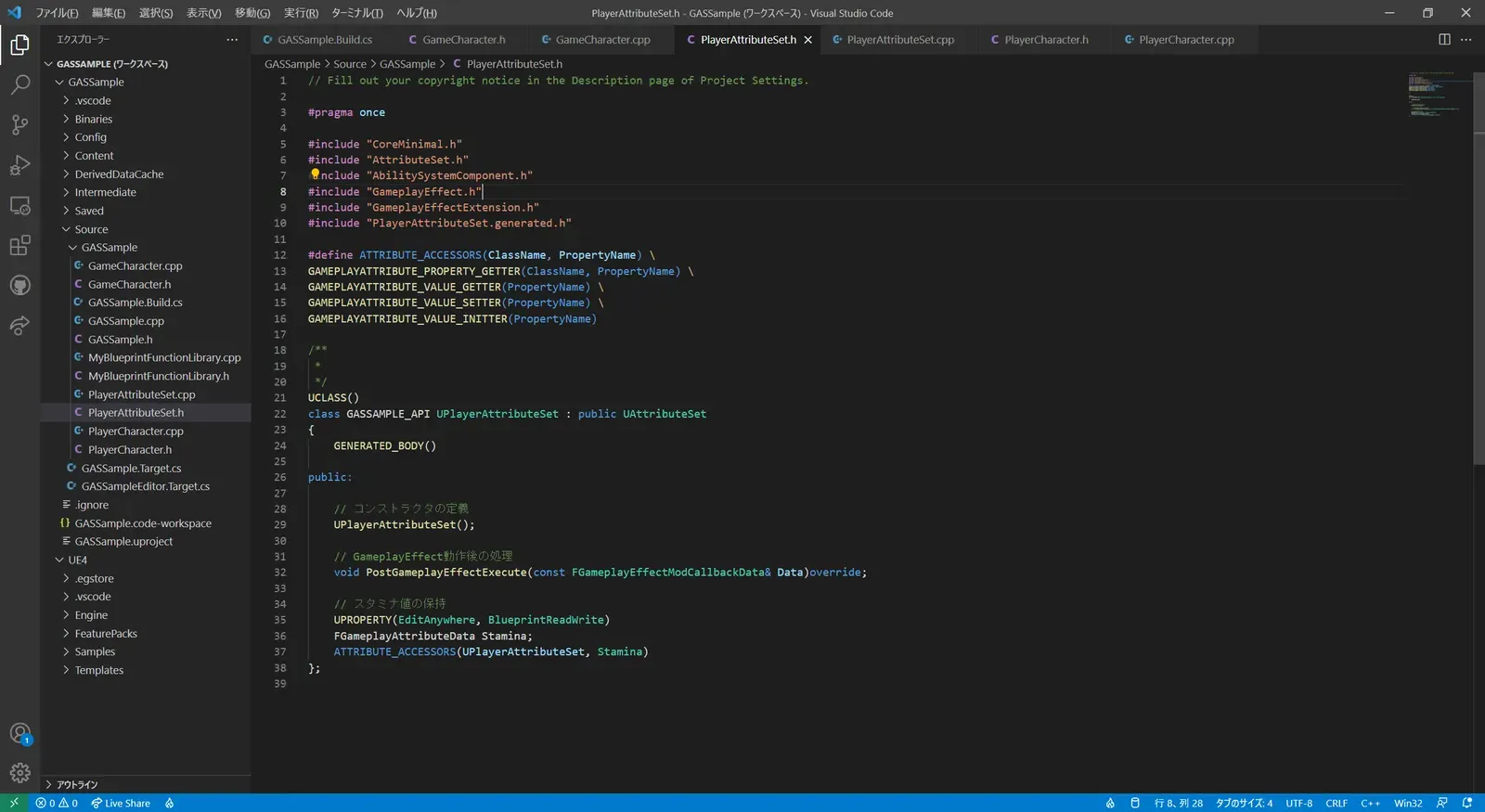
// Fill out your copyright notice in the Description page of Project Settings.
#pragma once
#include "CoreMinimal.h"#include "AttributeSet.h"#include "AbilitySystemComponent.h"#include "GameplayEffect.h"#include "GameplayEffectExtension.h"#include "PlayerAttributeSet.generated.h"
#define ATTRIBUTE_ACCESSORS(ClassName, PropertyName) \GAMEPLAYATTRIBUTE_PROPERTY_GETTER(ClassName, PropertyName) \GAMEPLAYATTRIBUTE_VALUE_GETTER(PropertyName) \GAMEPLAYATTRIBUTE_VALUE_SETTER(PropertyName) \GAMEPLAYATTRIBUTE_VALUE_INITTER(PropertyName)
/** * */UCLASS()class GASSAMPLE_API UPlayerAttributeSet : public UAttributeSet{  GENERATED_BODY()
public:
  // コンストラクタの定義  UPlayerAttributeSet();
  // GameplayEffect動作後の処理  void PostGameplayEffectExecute(const FGameplayEffectModCallbackData& Data)override;
  // スタミナ値の保持  UPROPERTY(EditAnywhere, BlueprintReadWrite)  FGameplayAttributeData Stamina;  ATTRIBUTE_ACCESSORS(UPlayerAttributeSet, Stamina)};
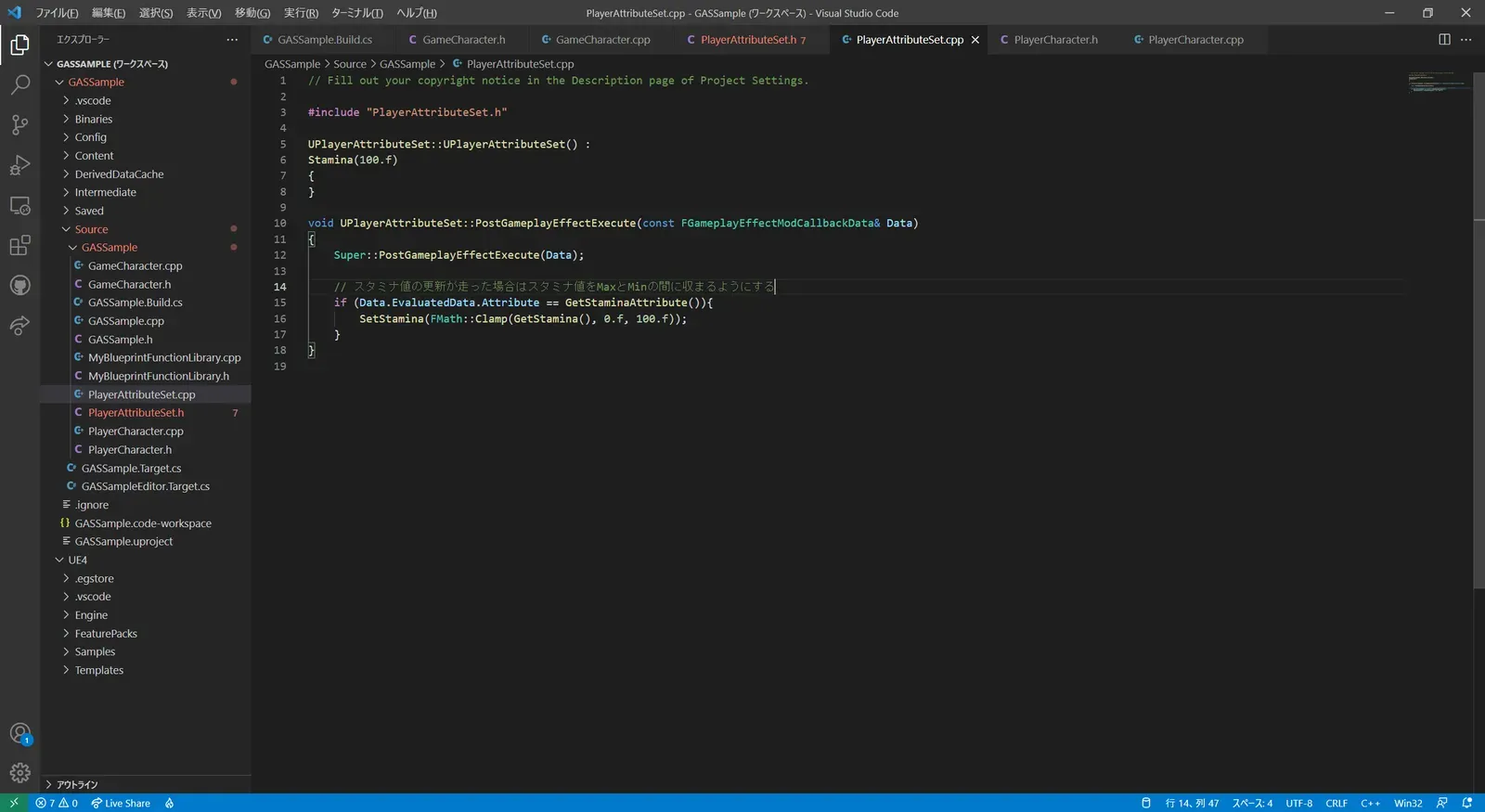
PlayerAttributeSet.cppには“PostGameplayEffectExecute”の処理を記述します。中身はとても単純で、スタミナ値の変更を拾った場合は、スタミナ値は0から100の間になるように補正しているだけです。
// Fill out your copyright notice in the Description page of Project Settings.
#include "PlayerAttributeSet.h"
UPlayerAttributeSet::UPlayerAttributeSet() :Stamina(100.f){}
void UPlayerAttributeSet::PostGameplayEffectExecute(const FGameplayEffectModCallbackData& Data){    Super::PostGameplayEffectExecute(Data);
    // スタミナ値の更新が走った場合はスタミナ値をMaxとMinの間に収まるようにする    if (Data.EvaluatedData.Attribute == GetStaminaAttribute()){        SetStamina(FMath::Clamp(GetStamina(), 0.f, 100.f));    }}
早速修正されたか確認してみましょう。プレイボタンを押してみると・・・
自動回復が100を超えることが無くなりました。でも、まだ違和感があります。
それは、パンチを出している途中から回復が始まっているという点になります。パンチ出し終わってちょっとしたら回復した方がゲームっぽいです。ということで次回は、クールタイムの実装を行っていきます。